How to Protect Your MacBook Screen
A MacBook screen breaks much more easily than a phone or iPad
screen. These simple tips will help keep yours safe.
Why does it break so easily?
A MacBook screen is very thin. When the lid is closed, the screen
sits just above the keyboard. Anything left in between, or any pressure on the lid, can crack
it.
The crack is often inside the screen. The glass can look perfect, but you'll
see lines, dark patches or a black screen.
Please don't
These are the most common ways MacBook screens get broken.
-
Don't touch or press the screen
It isn't a touchscreen. Use the trackpad or mouse to point. -
Don't open or close it by the screen
Hold the metal edge of the lid instead. -
Don't clean the screen
Wiping and cleaning sprays damage it. -
Don't leave anything on the keyboard
Earbuds, pens or crumbs crack the screen when you close the lid. -
Don't use covers or screen protectors
Camera covers, keyboard covers and screen protectors press on the screen when the lid is closed. -
Don't pick it up by the screen
Close the lid first, then carry it by the base. -
Don't squash it in a bag
A tight bag, or something heavy on top, presses the lid onto the keys. -
Don't leave it on a sofa, bed or floor
It can get sat on, stood on or knocked off.
Quick check: fingerprints on your screen?
Then it's being touched — and that means it's being
handled the wrong way. A well-looked-after MacBook screen has no fingerprints on it.
Please do
-
Open and close the lid gently, holding the middle of the front edge.
-
Check the keyboard is clear before you close the lid.
-
Point with the trackpad or mouse, not your finger.
-
Carry it closed, in a padded case.
-
Keep it on a desk or table when you use it.
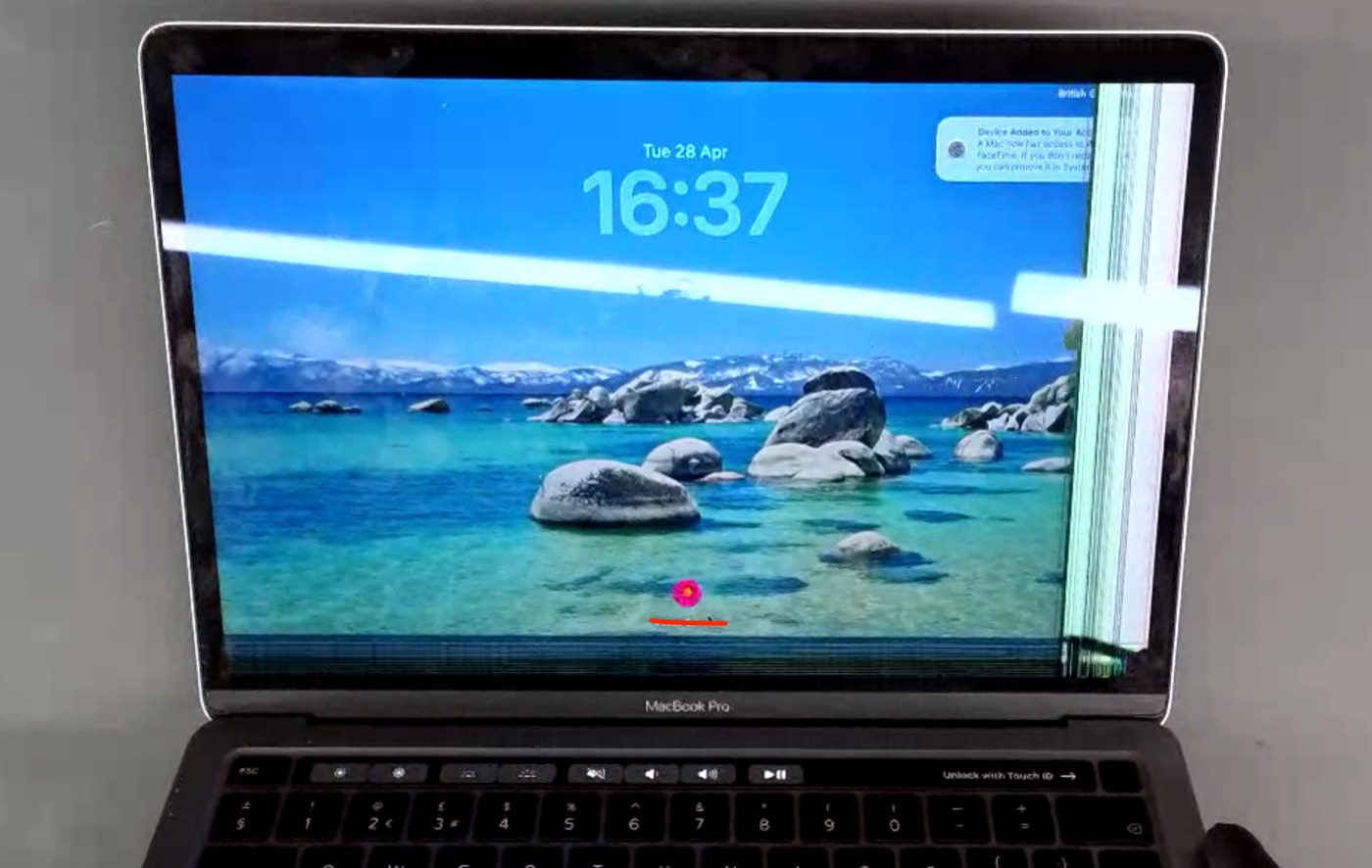
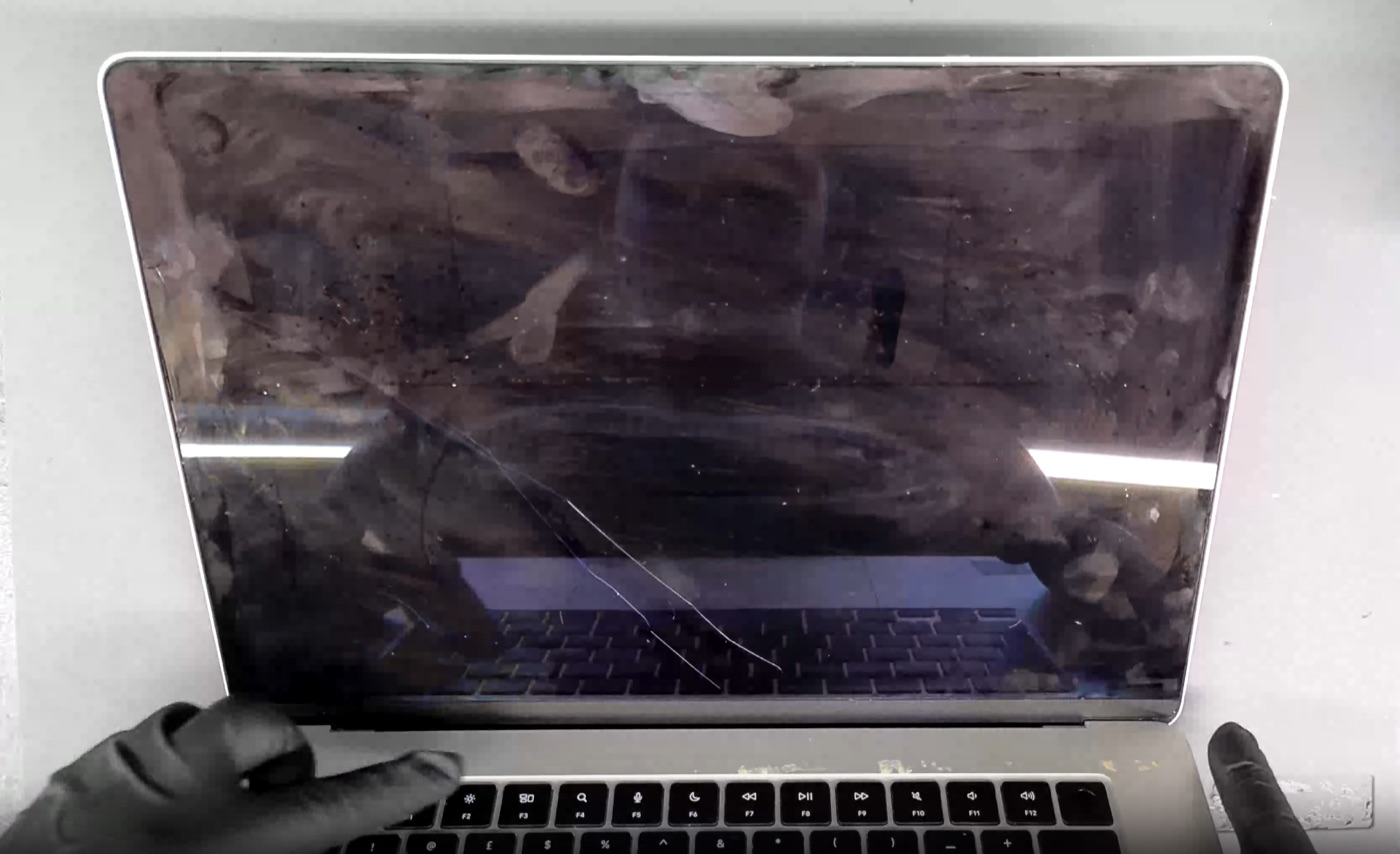
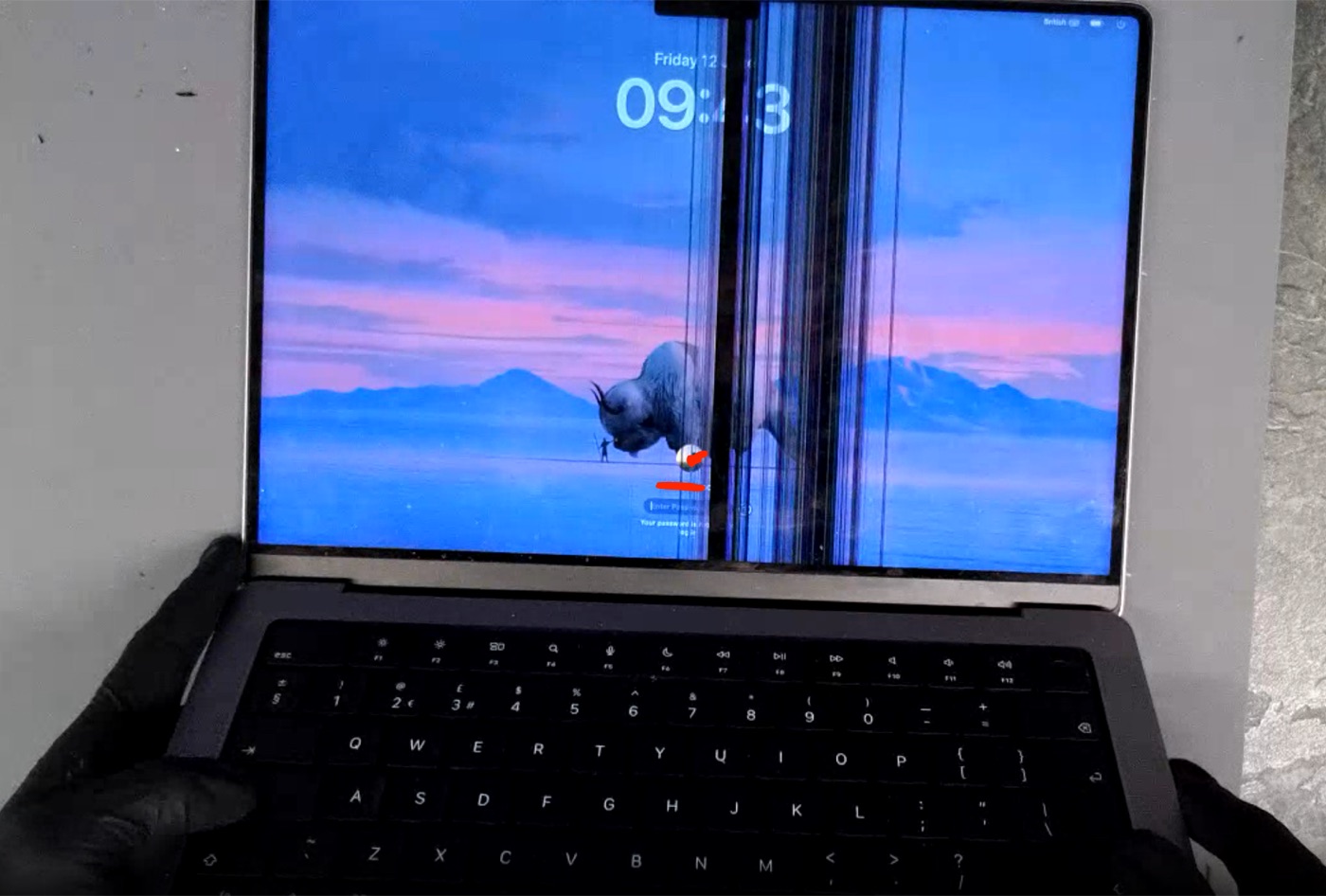
What a damaged screen can look like
These MacBook screens are broken inside, often with no crack in
the glass on top.
Is this covered by the warranty?
No. Our warranty covers faulty parts and our work.
It doesn't cover a screen that has been pressed, knocked or dropped — even if the glass looks fine.
Apple's own warranty works the same way.
Tip: accidental damage insurance can cover drops and knocks.
Read our warranty